Welcome! We’re excited that you’ve enrolled in a course with us. Follow these simple steps to get started and make the most of your learning experience.
1. Logging In to Your Account
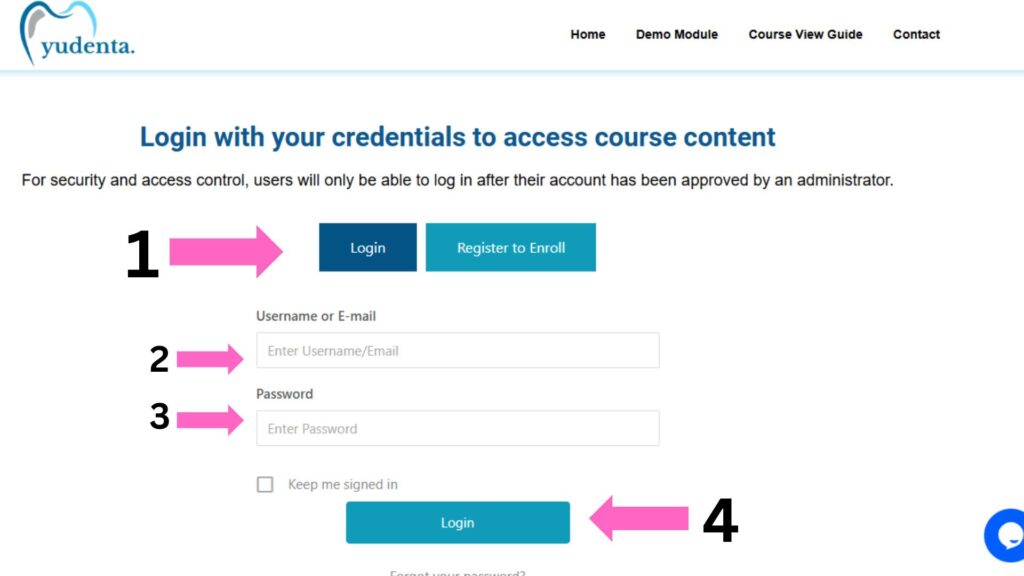
If you already have an account on our platform, follow these steps to log in:
Go to the Login Page
Visit the login page by clicking on the “Login” button located at the top right corner of the website.
Enter Your Credentials
- Email Address: Enter the email address you used when you registered.
- Password: Type in your password. If you’ve forgotten your password, click the “Forgot Password” link to reset it.
Click ‘Login’
After entering your credentials, click the “Login” button to proceed.
Access Your Course Content
Once logged in, you will be redirected to your dashboard, where you can access all your enrolled courses. Simply click on the course title to start learning!
2. Registering a New Account
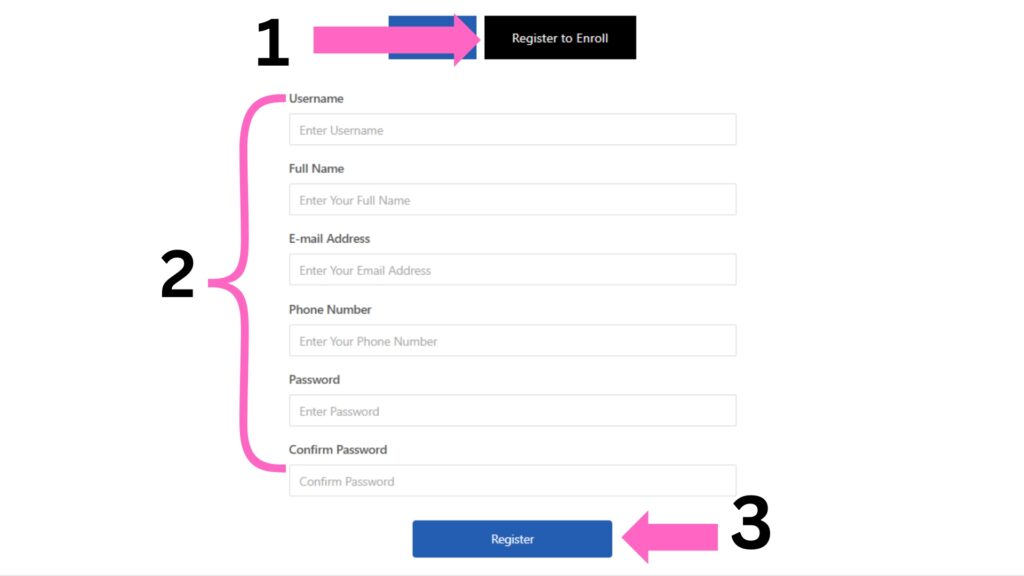
If you are a new user and need to create an account, follow these simple steps:
- Go to the Registration Tab
Click on the “Register” button, typically located beside the login tab, to begin the registration process. - Fill Out the Registration Form
Complete the form with the following details:- Username: Choose your usename.
- Full Name: Enter your full name.
- Email Address: A valid email address you want to associate with your account.
- Phone Number: Enter your phone number.
- Password: Choose a password
- Confirm Password: Enter your password to confirm
- Click ‘Register’
After filling out the registration form and agreeing to the terms, click the “Register” button.
3. Explore Courses
If you are a logged in and need to access the courses.
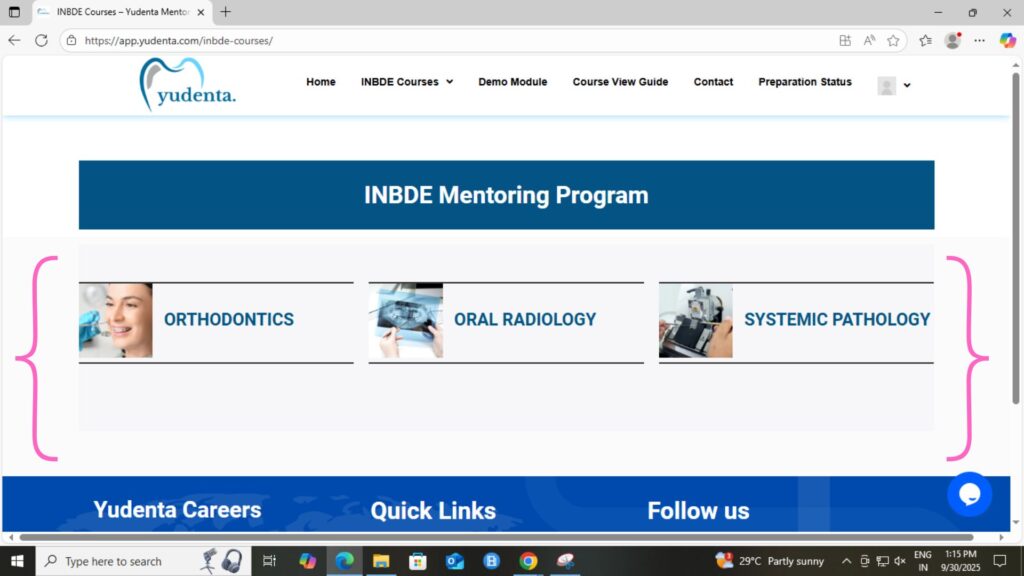
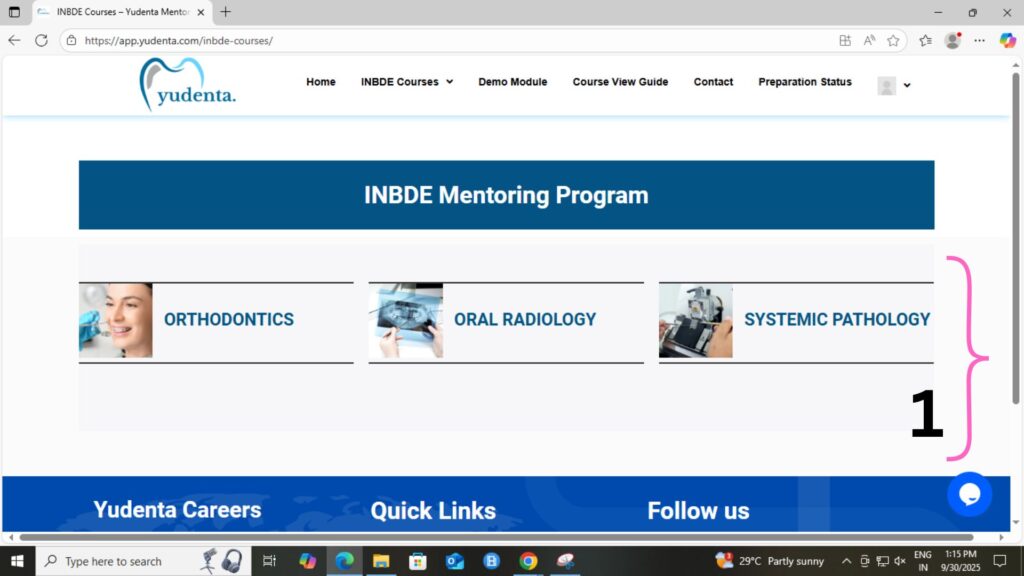
- After successfully logging in, the system will automatically redirect you to the Course Content page.
- The page will display the list of available courses, resources, and any other relevant content based on your account.
4. Access the Course Content
To access the enrolled courses, follow these simple steps:
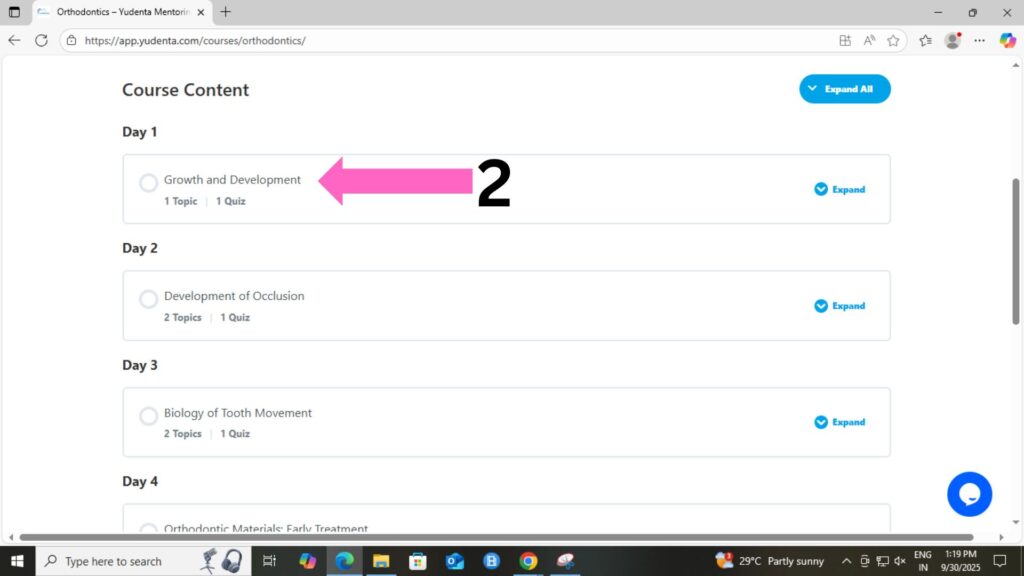
Choose the Course: Navigate to the course you’ve enrolled in from your dashboard or course list.
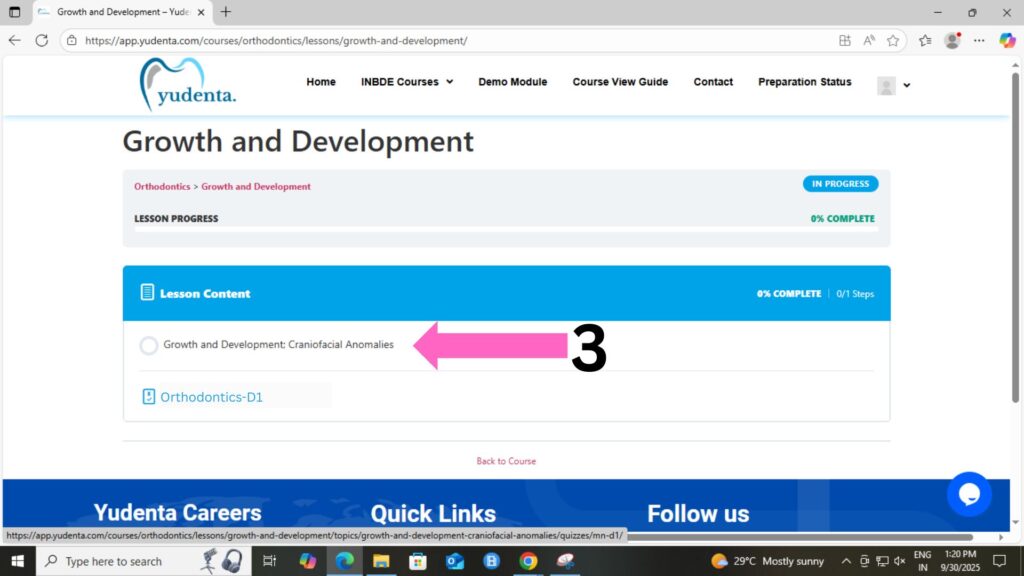
Select a Lesson: Click on the lesson you want to start. Each lesson consists of different topics that you can explore.
- Select a Topic: Click on the topic you want to start. Each lesson consists of different topics that you can explore.
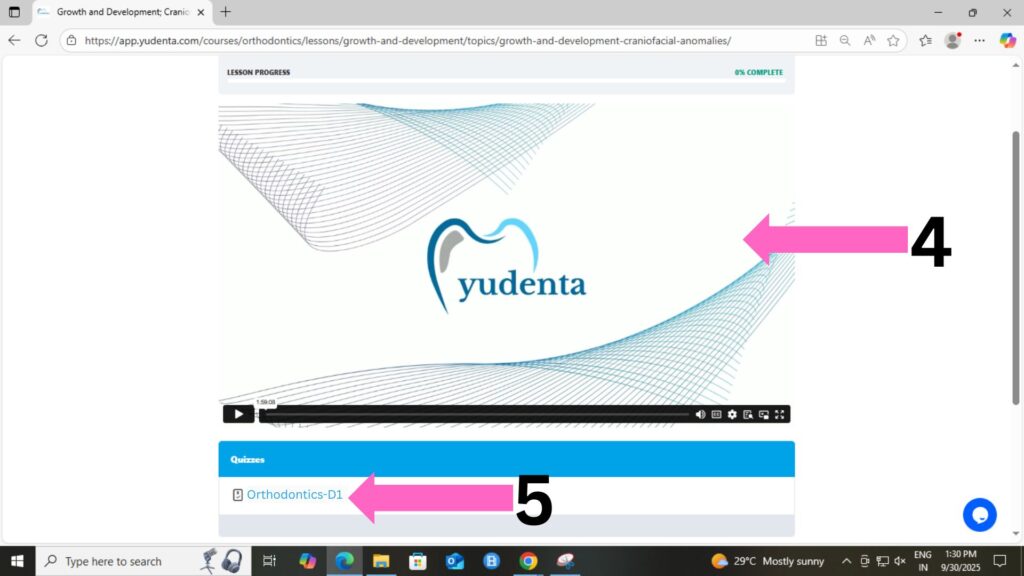
View the Online Course Video: Within the lesson, click on the topic you wish to learn. Watch the online course video related to that topic.
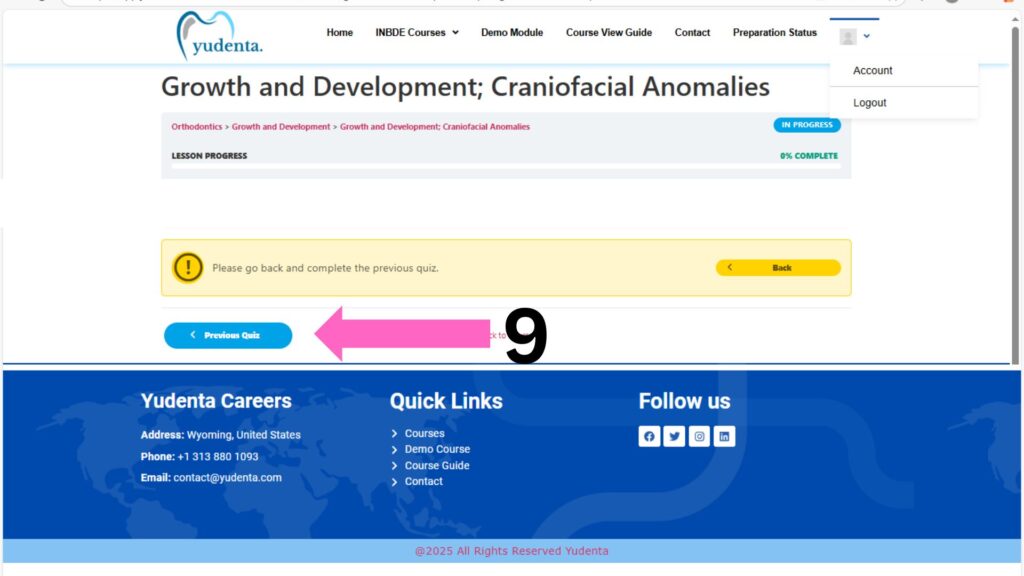
Complete the Topic: Make sure you finish watching the entire video for the topic. Only after completing the video, you’ll be able to access the quiz section related to that lesson.
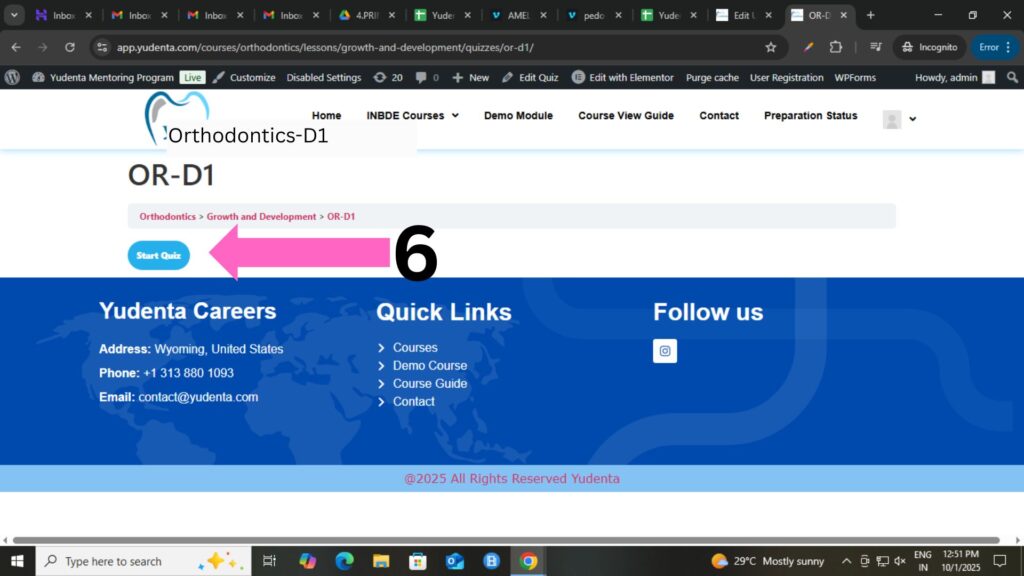
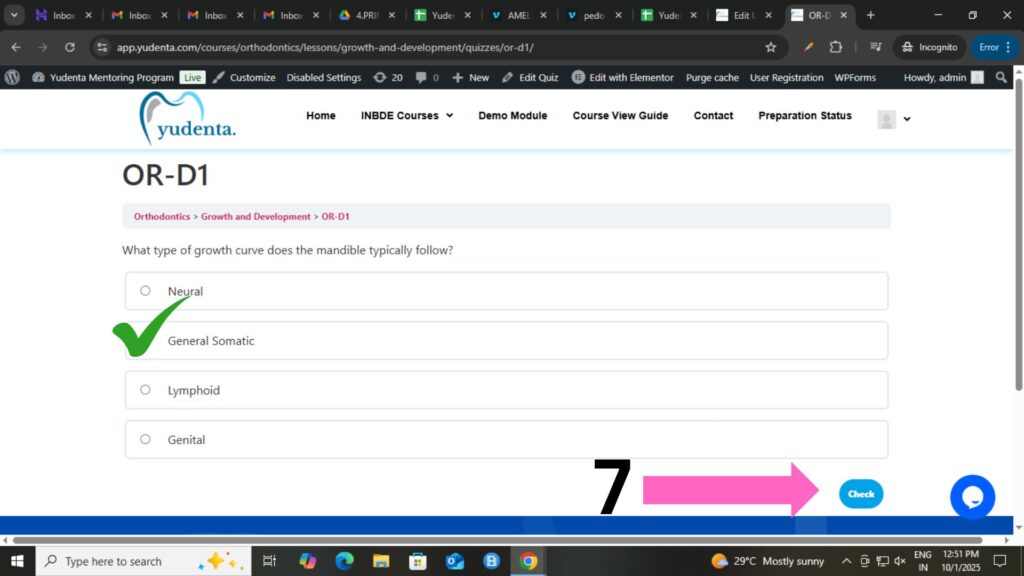
Attempt the Quiz: Once you’ve completed the topic video, the quiz will be unlocked. You can attempt the quiz to test your understanding of the lesson.
Quiz Details:
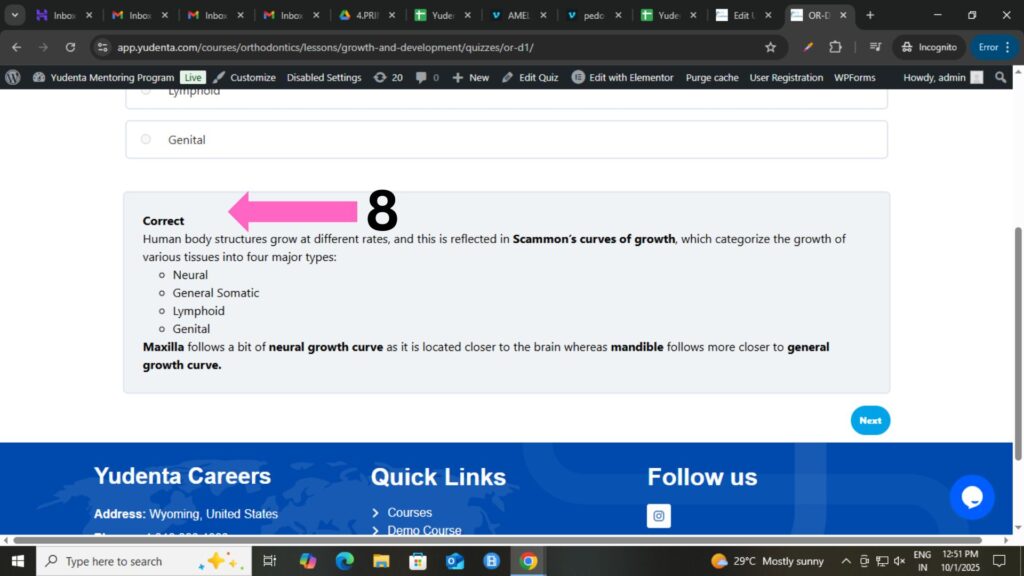
- Each quiz question comes with a detailed explanation to help you understand the concept better.
- After you answer each question, your score will be displayed so you can track your progress.
Move to the Next Lesson: After completing the quiz for a lesson, you’ll be able to access and move on to the next lesson in the course. If you not complete the previous topic.
Remember, it’s important to complete the video content before attempting the quiz to ensure you’re well-prepared for the questions!
5. Logout
How to Log Out of the Platform
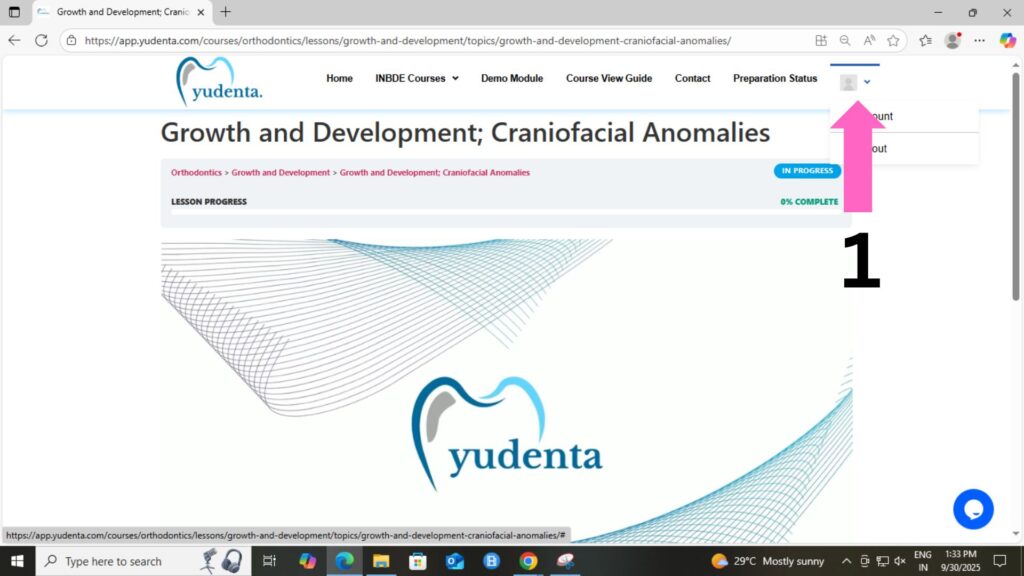
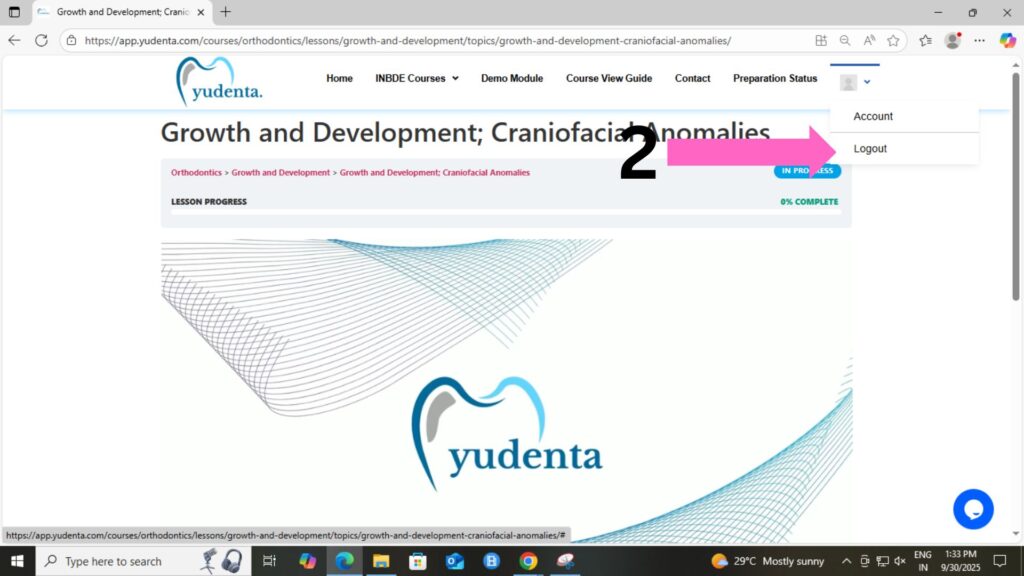
- Look at the top right corner of the screen, where you’ll see your profile picture.
- Click on the profile picture icon.
- In the Dropdown, you will find the option to Log Out.
- Click Log Out to successfully log out of the platform.